Road network
Because the road network API available in the base game has very limited functionality, the framework used by FF makes use of a custom road network implementation. Unless you generate a road network for your world, you will be missing road traffic, mechanized QRFs, supply transports and possibly other features. The road network is a data file that has to be generated using World Editor, and then bundled with your addon.

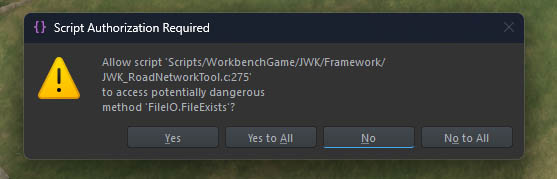
Once you activate the tool, you will be asked for file I/O permission. That’s because the tool automatically tries to look up and load an existing data file, either from your profile directory or addon path. Without allowing it, the tool cannot function properly.
Select the tool tab afterwards to access its interface.
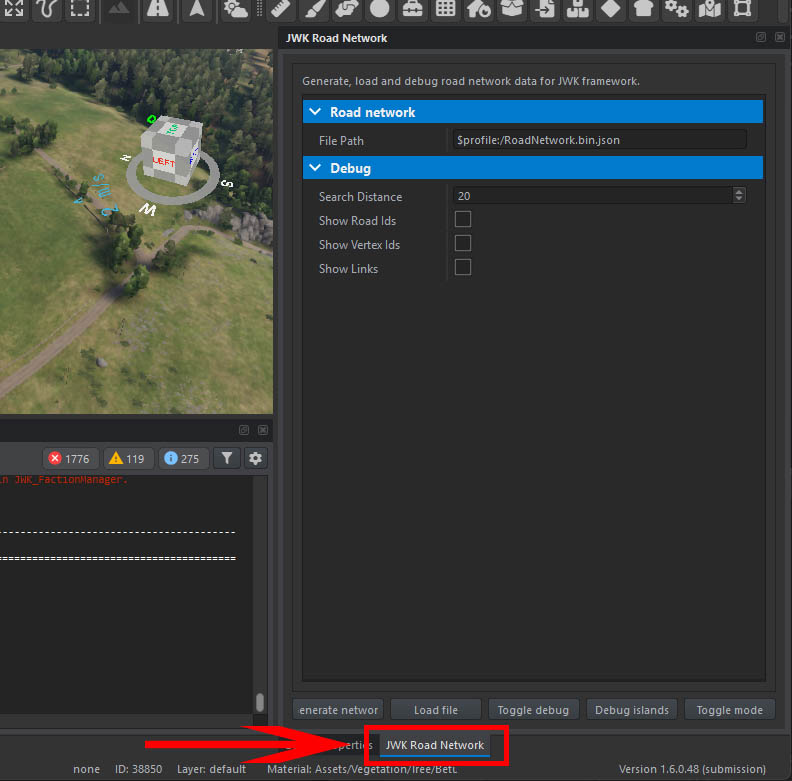
Plugin features
- Generate network - generates a new data file saved in File path
- Load file - loads the data file pointed to by File path
- Toggle debug - clears or renders the diag view for entire world, using the settings in Debug attributes
- Debug islands - renders the network in a special mode for identifying unconnected road network regions
- Toggle mode - toggles between tool modes described later
Generating a new data file
Select Generate network button in the tool interface. The file will be saved in the path defined in the tool attributes, which by default points to your profile.
By default, your profile directory will reside at:
Documents/My Games/ArmaReforgerWorkbench/profile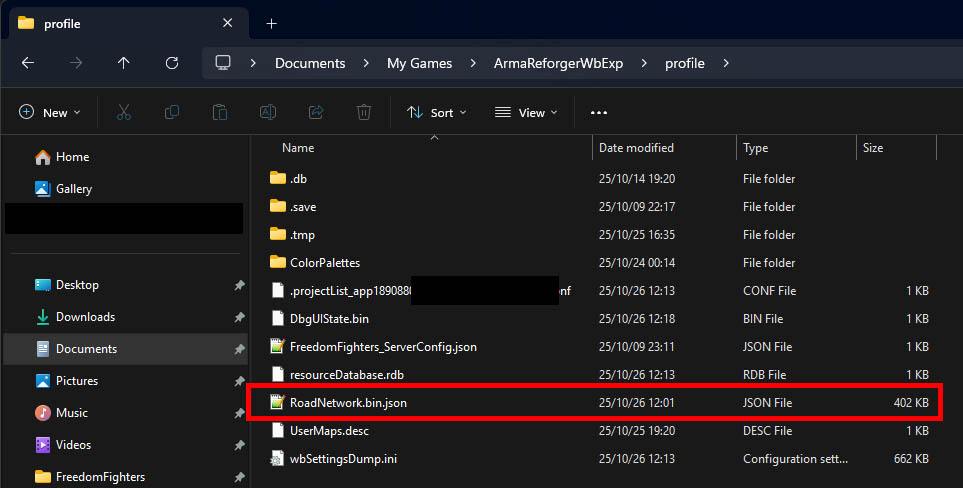
You should see a progress bar during the generation followed by a message in the log. Be patient, as depending on your world size and hardware, it may take several minutes.
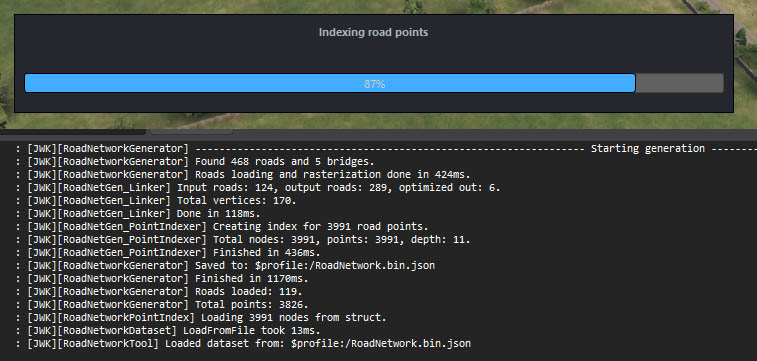
The network will be automatically loaded into memory and you should see a diag rendering of the roads found.
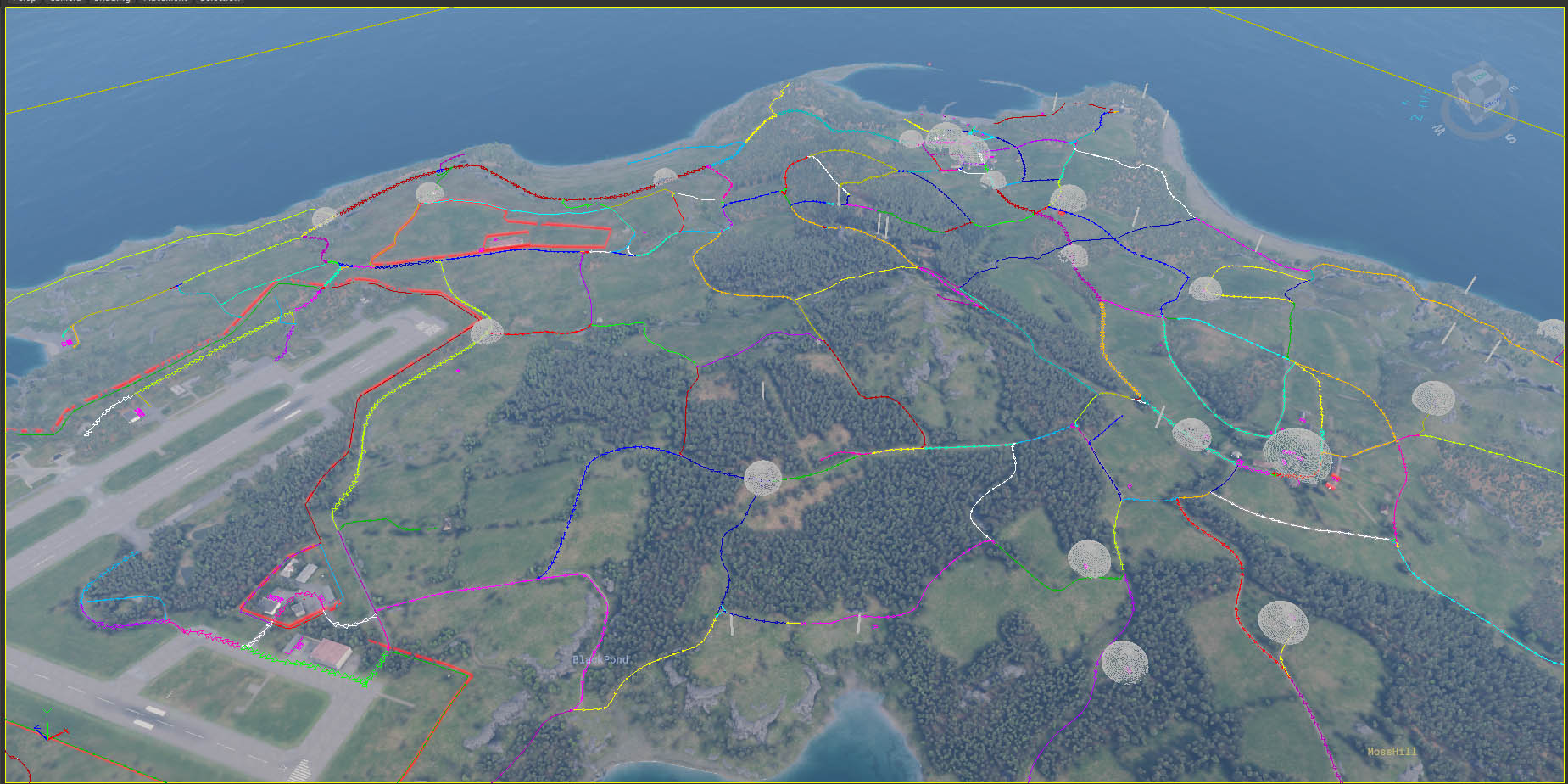
Using a data file
Now your data file has to be assigned to your world. Move the data file from your profile directory into your addon and register it with Enfusion.
Warning
Despite the file being registered as a resource, it will be loaded based on its path within your addon, not its GUID. Make sure to rename your file to avoid conflicts. For example, the file paths for official scenarios are:
Assets/JWK/RoadNetworks/Arland.json
Assets/JWK/RoadNetworks/Everon.json
Assets/JWK/RoadNetworks/Kolguyev.json
Now head to the JWK_World entity in your world and assign the path in attributes.
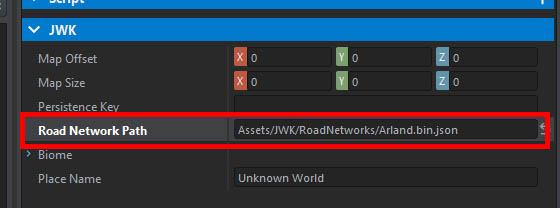
To verify that everything is set up correctly, enter play mode and filter log for RoadNetwork. You should see a message that your file has been loaded.

Once the file is correctly assigned in JWK_World, the tool will automatically fetch it and load the network on your behalf. If you reopen World Editor and activate the tool, you should automatically see the diag render.
Tool modes
Keep in mind all diag renders triggered by these modes use Debug attributes of the tool. It’s usually worth enabling Show links when using these modes. Also remember to clear the diag beforehand (you will not see any change if you already have entire network rendered).
DEBUG_ROAD
Click in the world to diag render the nearest found road segment.
DEBUG_VERTEX
Click in the world to diag render all road segments connected with the nearest network vertex (point at which two or more road segments connect). Note that road dead ends are not considered as network vertices.
TEST_PATH
Click in the world to select a starting point over a road, then click to select another point to test pathfinding to by diag rendering all road segments along the route.
Common problems
Sometimes road do not get linked up correctly due to a too large gap between their end points - this usually happens at gates, when the roads are visually connected (by a decal/texture/object) but not by their spline entities, or that some (visual) road segment is not a road entity at all.
Info
Road network regions that are disconnected from the rest of the network are called islands.
If a location is detected as having access to roads (becase there are road segments that go through it), but those road segments create an island, this will break the gameplay. Debug islands button can be used to quickly identify such issues, as it will render all islands using a color code. If such issue is found, the road entities in the world need to be updated so that the segments can link correctly. Right now, this problem cannot be fixed without having an edit access to the terrain.
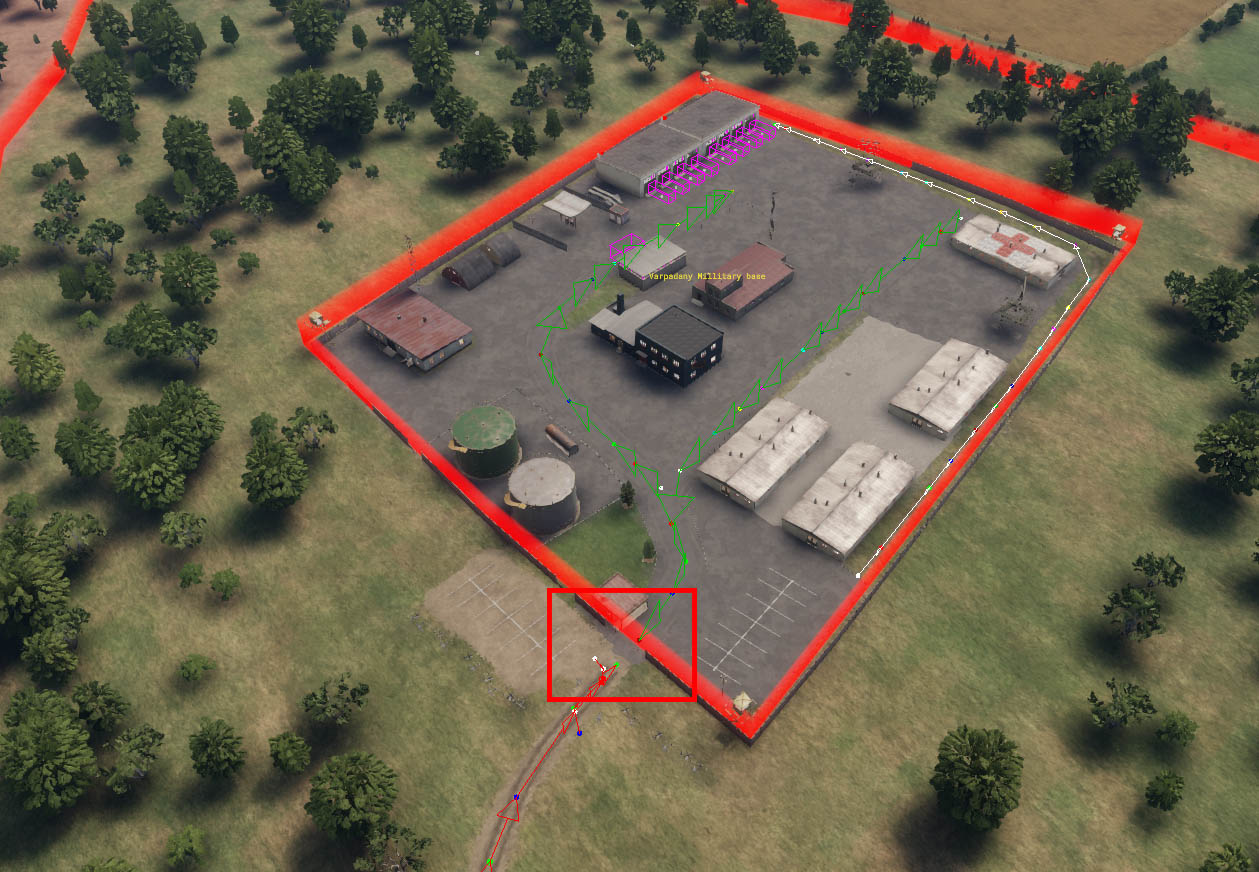
In the above example, the military base is disconnected at the gate.