World entity
World entity groups together world-specific settings that have to be defined for FF to function correctly.
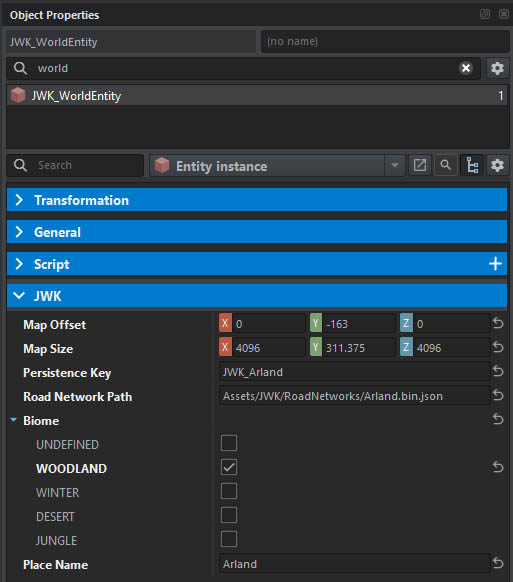
Map dimensions
There is no reliable way in Arma Reforger to obtain map dimensions on a dedicated server, therefore this information must be stored within the scenario. You can use JWK Editor Utils tool to automatically fill this in.
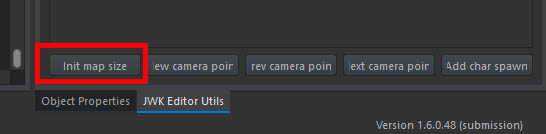
You should see a following message in the console:
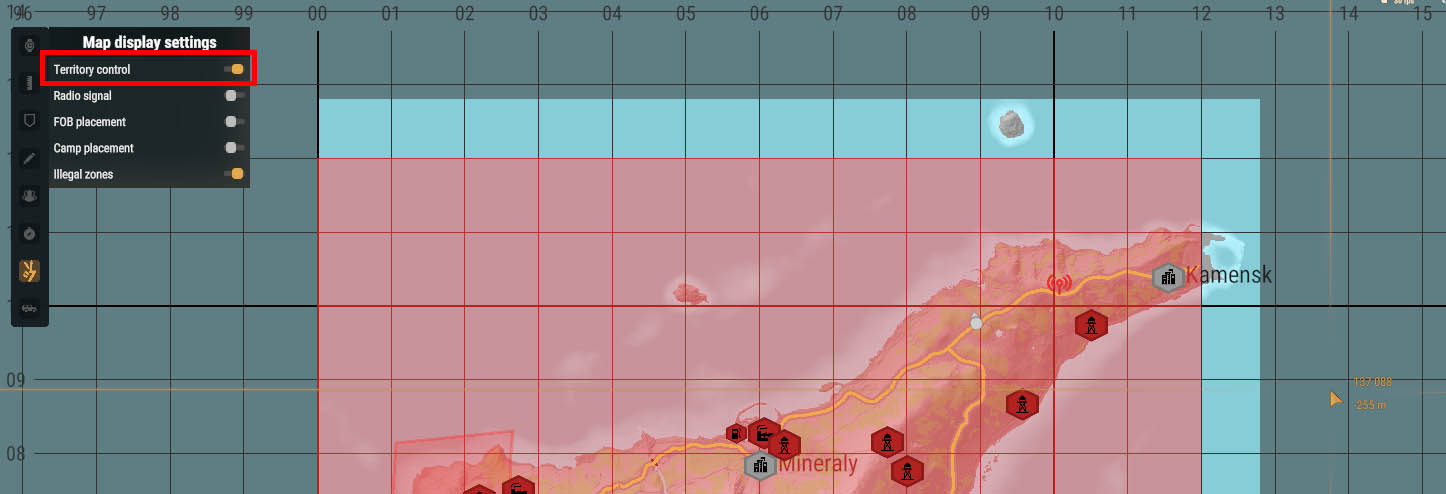
SCRIPT : [JWK][EditorUtilsTool] Detected map offset: <0,-163,0>, size: <4096,311,4096>.To verify the size is correct, enter the preview mode, open your map and enable the territory control layer. The colored region should match perfectly with the map boundaries. If, like in the example below, the size is incorrect, you have to adjust it manually until it matches.
Important
These values are not just for the looks. They directly impact territory control calculations, and any POI placed outside of map area will not work.
Persistence key
Use a unique, short alpha-numeric name that will be used as a subdirectory for the save data of your scenario.
- if you’re creating a basic scenario for a terrain you’re creating, use the terrain name (i.e. Arland)
- if you’re creating a scenario for someone else’s terrain, use the terrain name with your tag (i.e. JWK_Arland)
- if you’re creating a customized/heavily modded scenario, use the mod name (i.e. JWK_ArlandModernPlus)
This convention leaves less room for naming conflict if there are multiple scenarios based on the same terrain.
Road network
See this page for details.
Biome
This setting controls what units and vehicles will be deployed in this world. For example, you can prevent troops in desert camouflage from deploying in a winter-themed terrain.
- Leave the flags empty (default) to allow all variants.
- If at least one flag is selected, then only units that have at least one flag in common with the scenario are used.
Info
This feature is not yet fully implemented.
Place name
Specify name of the place (island name, country name, terrain name). It will be used in various UI elements, for example: The people of {place name} started a revolution. The value can be translated.